
Event Engagement App for Conferences Attendee engagement and feedback for your sessions: live Q&A, polls and session ratings
Your attendees ask, vote and rate in the event app; you moderate it live and download the results.
Associations · Medical Congresses · Corporate Events · Incentive Travel · PCOs & Agencies · MICE
What is an event engagement app?
An event engagement app gives your attendees a way to take part during a session: they ask questions, vote in live polls, rate sessions and give feedback from their phone or the web app. You set it up per session or for the whole event, moderate it live and download the results.
In Evendoro these features are part of the same app as the agenda, the social wall and networking and are managed in one organiser dashboard - a question, a vote or a rating is linked to a session or to the whole event.
How engagement works at your conference
Set it up in the CMS, run it live and download the results.
You set it up
As the organiser you add live Q&A, polls and ratings to a session or to the whole event in the CMS, starting from poll templates and rating questions if you like.
Attendees engage
They ask, vote and rate in the event app or the web app, while the display page shows the live questions and results on the screen.
You see the results and download them
As the organiser you follow questions and poll results live and ratings in the CMS, visible to attendees if you allow it, with an option to download a CSV.
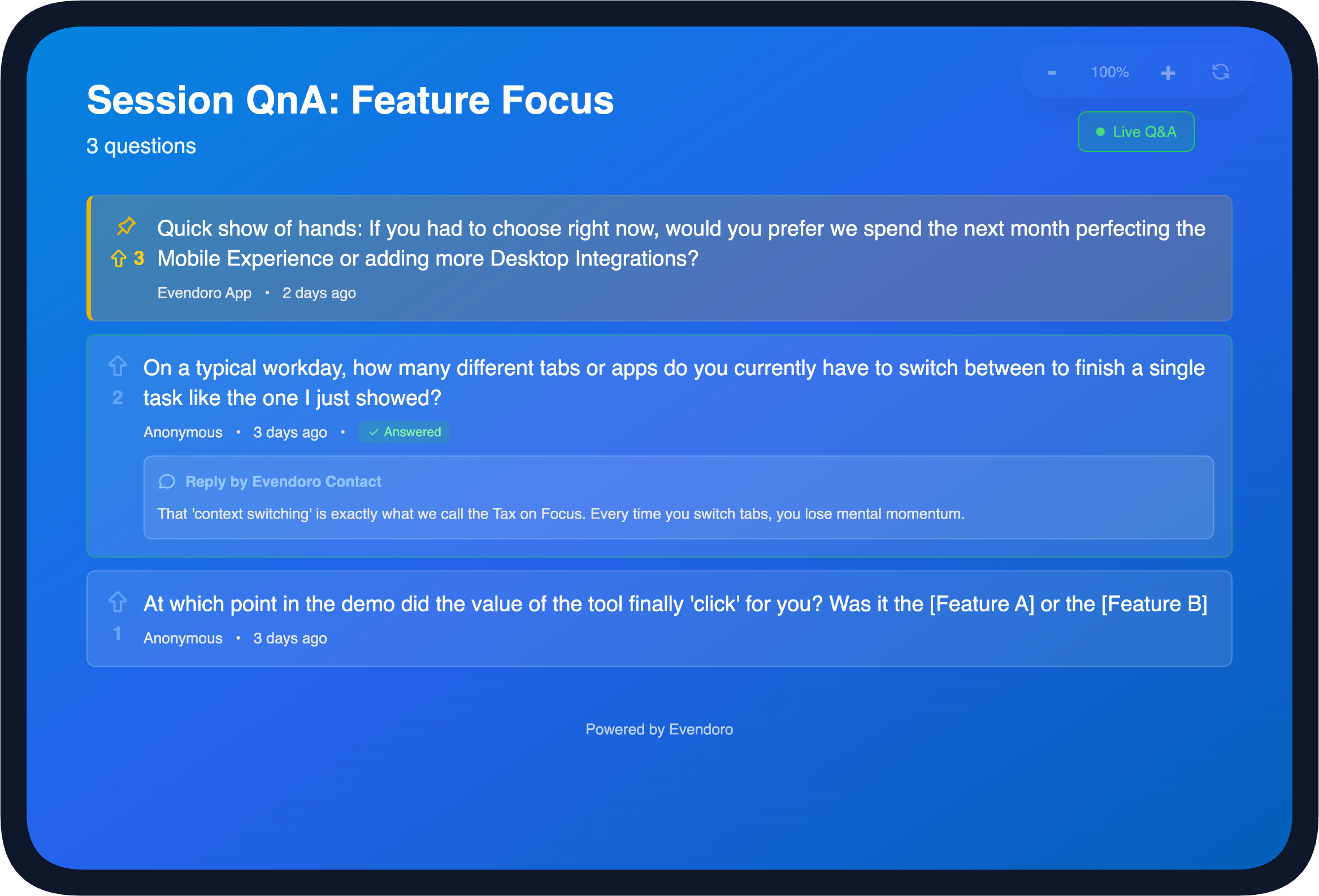
The Q&A display page for the projector
Live Q&A with moderation
With live Q&A, attendees send questions from their phone or the web app and vote for their favourite questions. It runs per session or for the whole event and the moderator decides what the audience sees: pin a question to the top, hide one, reply in writing or archive questions. With Allow Anonymous Questions on, attendees can ask without signing in and signed-in attendees can choose to ask anonymously.
- Per-session or event-wide Q&A, with an optional timeframe
- Upvotes, so the most wanted questions show on top
- Require Moderation: new questions appear only after you approve them
- Pin, hide, reply and archive from the CMS
- A display page with the live questions for the projector
- CSV export after the session
Speakers answer the questions the room voted for.
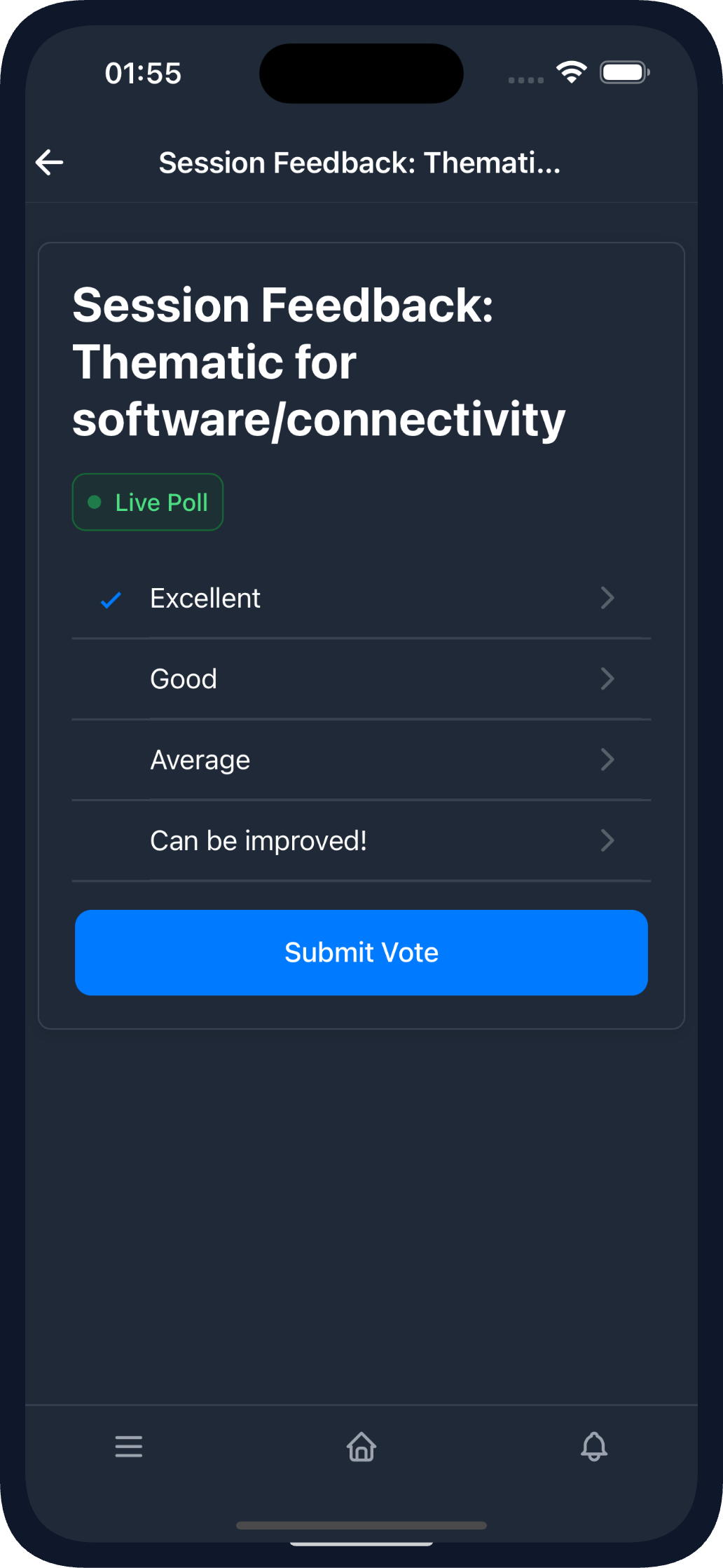
Voting in the mobile app
Live polls
Live polls are a fast way to see what the room thinks. Create single or multiple choice polls from poll templates or from scratch, link a poll to a session or to the event and show the results live in the app and on the big screen. You choose whether attendees see the results and Allow Anonymous Voting lets them vote without signing in.
- Single or multiple choice, with a limit on answers
- Poll templates
- Prepare polls as drafts and start them during the session
- Link a poll to a session or to the event
- Live results in the app and on the display page
- CSV export
You see the answers during the session and the results are available after the event.
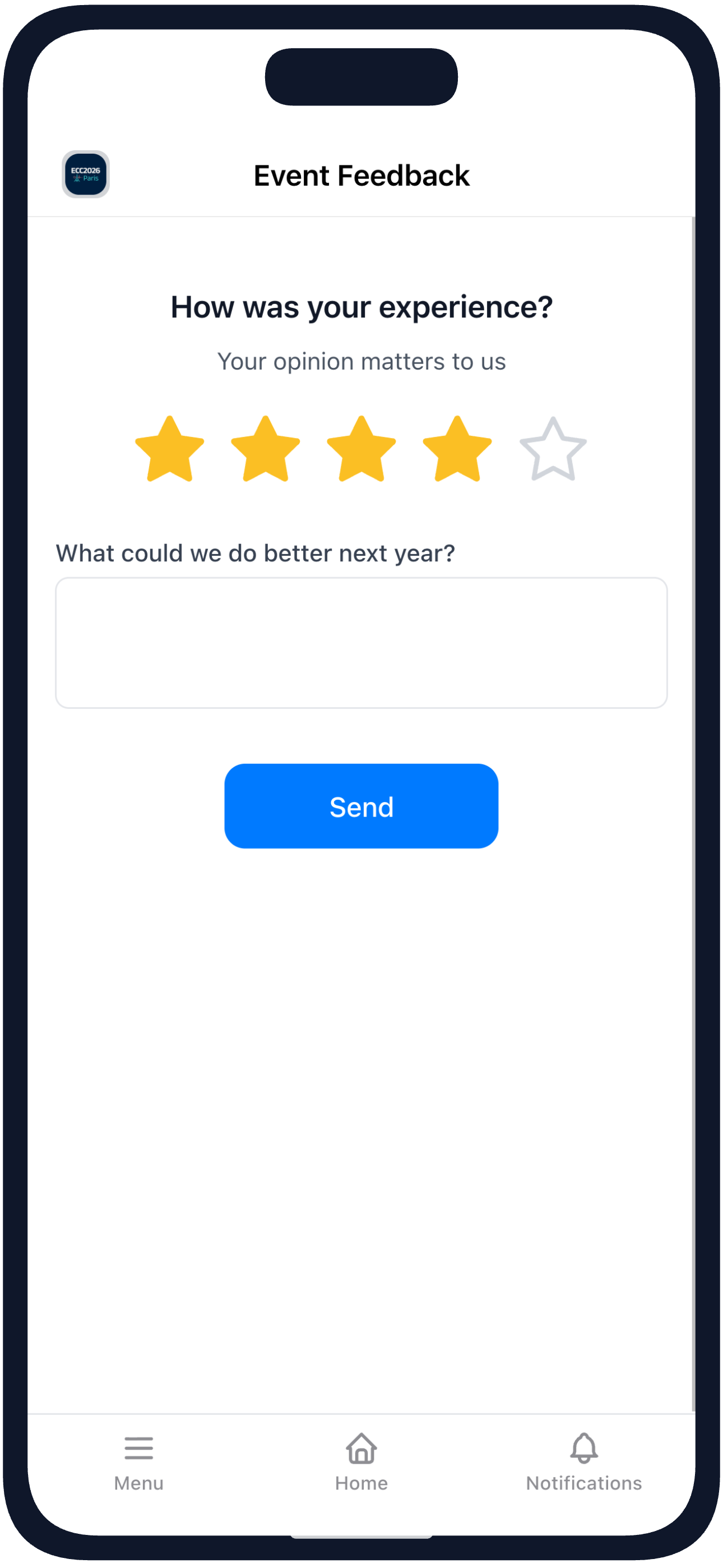
Event feedback in the mobile app
Session Ratings & Event Feedback
Session Ratings & Event Feedback collect what attendees thought while they still remember the session. Each rating is a 1 to 5 score with an optional comment. You can add your own questions: a 1 to 5 scale, yes or no, a choice from a list or a short or long text answer. Rate single sessions, the whole event or both.
- Session ratings and event-wide feedback
- Your own questions, plus templates
- Results private by default, optionally shown to attendees
- Optional anonymous ratings
- CSV export per rating and for the whole event
You learn what attendees rated and plan the next edition on it.
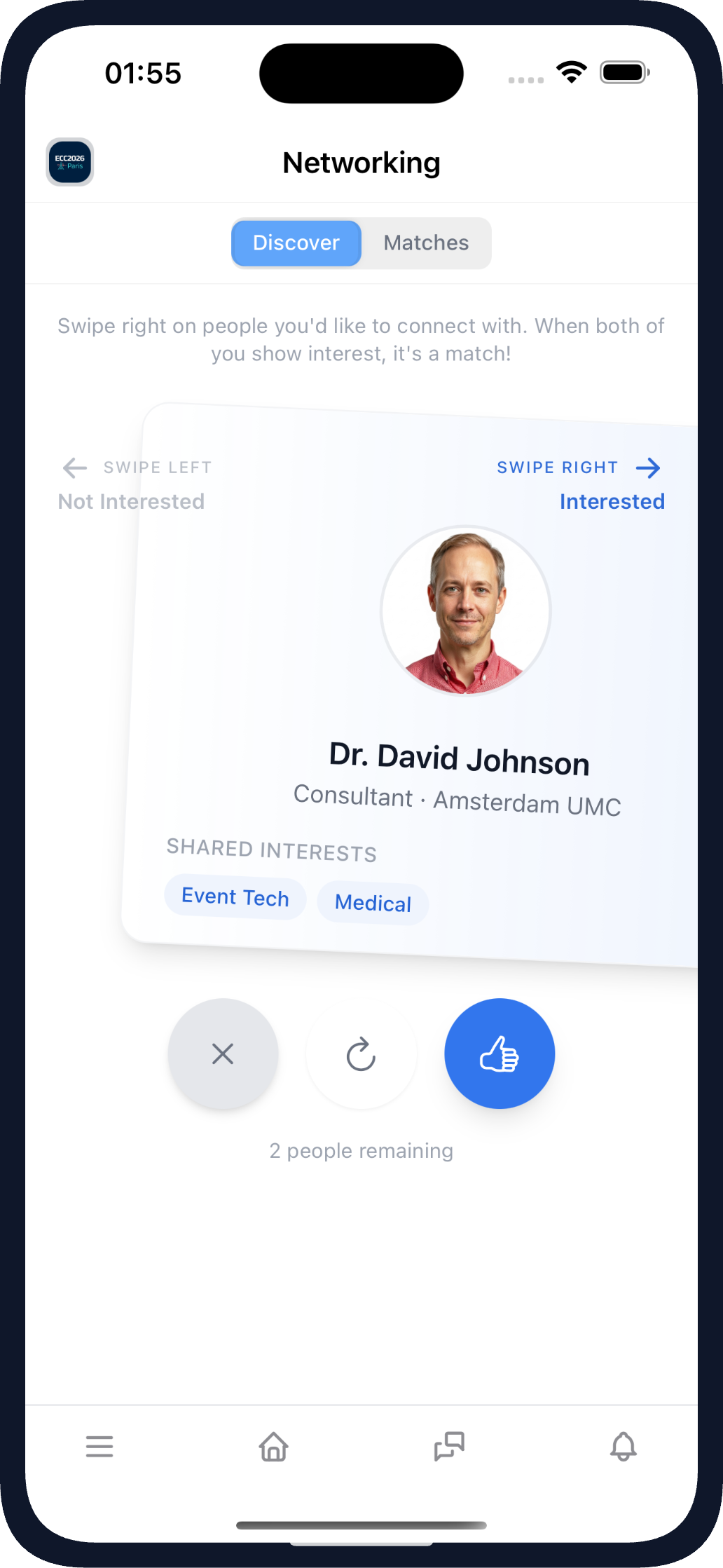
AI Matchmaking in the mobile app
Networking and messaging
AI Matchmaking suggests the attendees worth meeting, ranked by shared professional interests and profile details. A mutual match opens a conversation in the app. Attendees control their own visibility and can opt out of networking.
- AI Matchmaking with suggested connections and mutual matches
- One-to-one messaging in the app
One dashboard for your whole event
Live Q&A, polls, ratings and the social wall are managed in the same CMS as your schedule - no separate tool is needed. Q&A, polls and ratings can be linked to sessions and every question, vote and rating is available after the event.
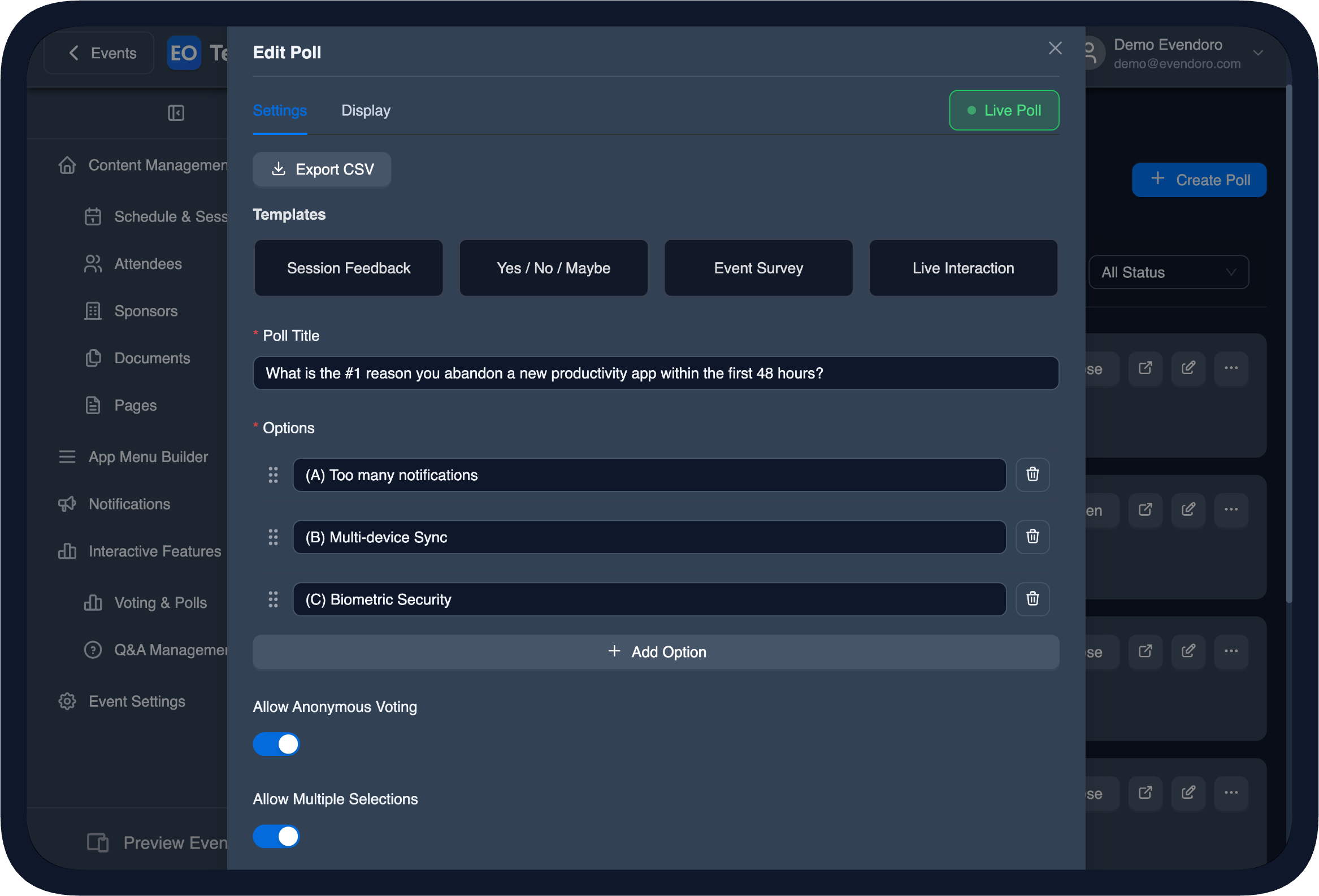
Polls in the CMS
Per session and per event
Turn Q&A, polls and ratings on for the sessions that need them, or run them for the whole event.
Your registered audience
Attendees join with their event login, or without signing in if you allow it.
Results you download
Questions, poll results and ratings are available after the event, ready for the report and the next edition.
Configure - launch - moderate - analyse - export, per session or for the whole event.
Built for the events where attendees have something to say
Medical and scientific congresses
Session evaluations from delegates for each talk, exported to CSV.
Associations and societies
Members put questions to the panel and answer live polls at the annual meeting.
Corporate events
Town halls and partner days where questions come from the whole room, anonymously when you allow it.
PCOs and agencies
The same setup across your client events, with poll templates and results each client keeps.
Complete event app
Engagement is one part of the Evendoro event app. The agenda, registration with QR check-in, push notifications and sponsors are on the event app features page.
A special shout-out to Evendoro for their excellent service and for providing such an intuitive and easy-to-use conference app that helped keep everything running smoothly throughout the event.
EBSA - European Biosafety Association
EBSA 2026 Conference·372 Attendees·4 Days
Bruges, Belgium
See on LinkedInA common use case for our European scientific association clients: event-wide feedback, live polls and session ratings across a multi-day programme.
Attendee engagement questions
For a simple session setup, a polling tool can be enough. An event app makes more sense when the programme is more complex and you run several sessions, where each session needs its own Q&A, polls and ratings. Attendees use one app for the whole event and the results are available for the report and the export.
Yes, if you turn on Allow Anonymous Questions. Attendees can then ask without signing in and a signed-in attendee can choose to ask anonymously. If the option is off, every question shows the attendee's name.
When Require Moderation is on, questions are visible to attendees only after the organiser approves them. When it is off, they appear as soon as they are posted. From the CMS you hide a question, pin the important ones to the top, reply in writing and archive questions after the session. The display page shows what you make visible.
Yes. The display page is view only: it shows the live questions in a browser or on the projector for the chair and the attendees, while you as the organiser moderate them in the CMS. If your chairs need their own moderation link, write to us and we can discuss building it for your event.
Single choice and multiple choice, with a limit on how many answers each attendee picks. Poll templates help you start. If you want written answers, add a text question to a session rating or to the event feedback. If your event needs word clouds or open-text polls, write to us and we can discuss adding them.
Try engagement on your own event
Create your event in the CMS at no cost, add Q&A, polls and ratings to your sessions and see how it works - you pay when you publish.
Last updated: 2026-10-28
Social Wall pinned post in the mobile app
The social wall is an in-app attendee feed: attendees post photos and updates, comment and react, while you moderate the feed from the CMS. Posts stay inside the event app, with visibility set by you.
- Photos, comments and reactions
- Moderation and pinned posts
More on the event app social wall