
Event App Features
We built Evendoro to enhance the attendee experience and to help event managers with common issues - communicating last-minute changes, managing complex multi-track agendas and keeping attendees engaged - through live Q&A, polls, messaging and a live social wall.
Organisers manage everything from one CMS; attendees get their own mobile and web app.
Associations · Medical Congresses · Corporate Events · Incentive Travel · PCOs & Agencies · MICE
What features shouldan event app have?
A good event app keeps attendees engaged during sessions: live Q&A, polls, a social feed and session feedback. And it helps the right people meet - through profiles, matchmaking and messaging.
It also runs the agenda, registration and check-in, attendee management and announcements. And it reflects the organiser's brand: custom content, a configurable menu and, when needed, the organisation's own app in the stores. The checklist below is a practical way to compare platforms; the rest of this page shows how Evendoro handles each item.
- Event agenda and personal programmes
- Live Q&A, polls and feedback
- Attendee networking and messaging
- Registration and on-site check-in
- Push notifications and email
- Sponsor visibility
- Custom pages and documents
- Branding, from app menu to white-label
- Offline access
- GDPR and EU data hosting
AttendeeEngagement
Engagement is what attendees remember an event app for. These are the features they open during sessions and between them - asking questions, voting in polls, posting on the social wall and rating sessions - and each one keeps the organiser in control from the CMS.
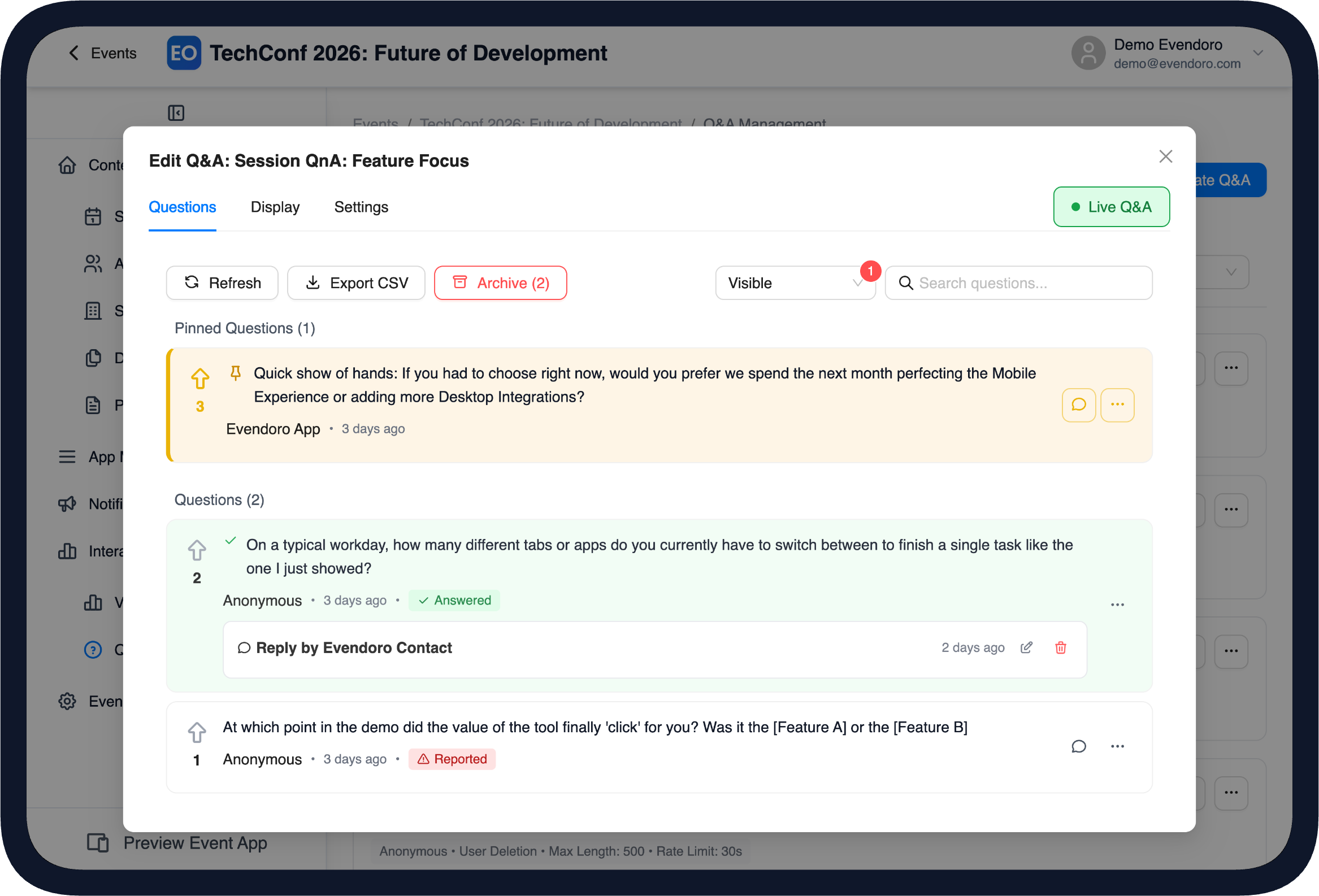
Q&A moderation in the CMS
Live Q&A
Live Q&A lets attendees ask questions from their phone, anonymously or under their name and vote the best ones up. Organisers moderate it from the CMS - pin a question, hide it, reply - and can open a live results page on the projector so the room follows the discussion.
- Per-session or event-wide Q&A
- Questions by name or anonymously, with upvoting
- Moderation: pin to top, hide, reply
- Live display page for screens and projectors
- CSV export after the session
The questions with the most votes rise to the top, so the moderator always knows what the room wants answered.
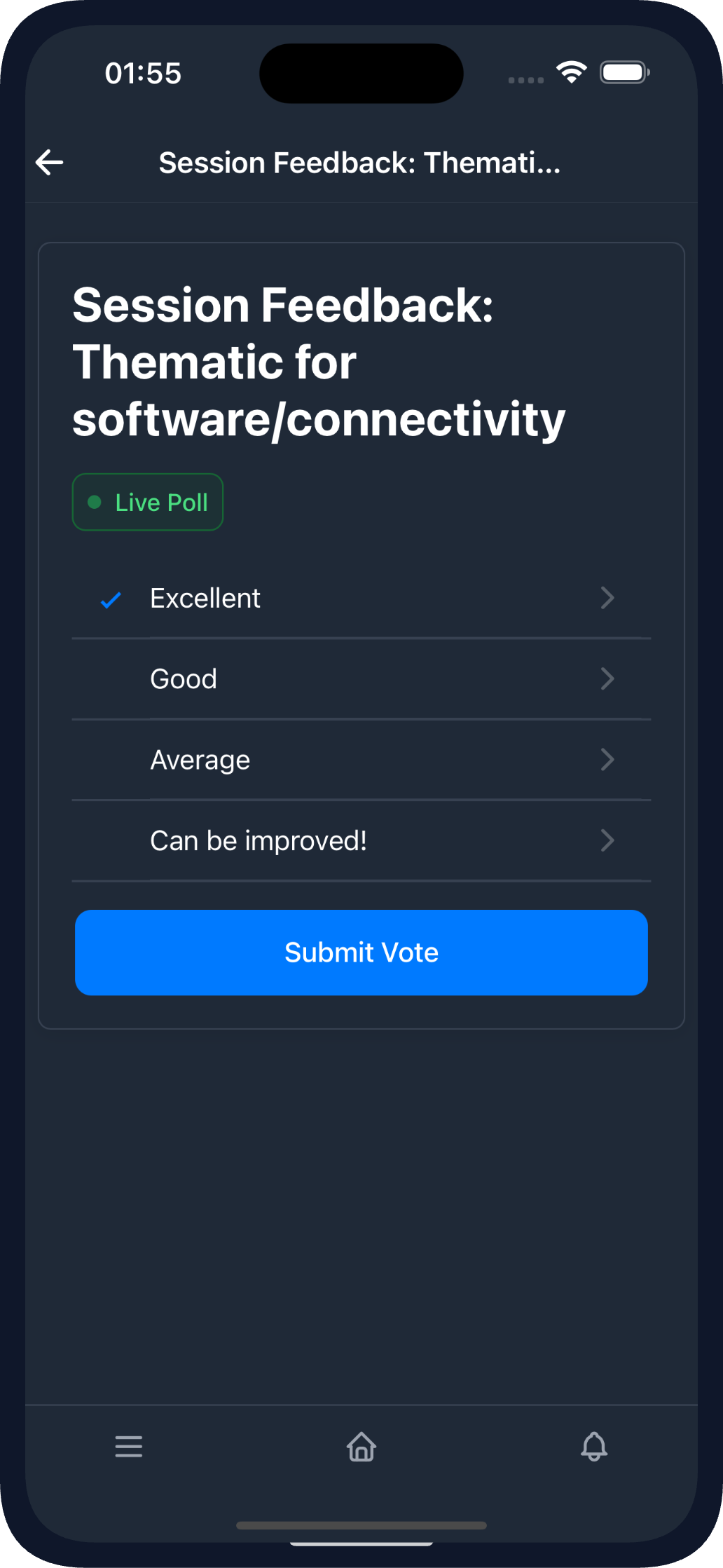
Voting in the mobile app
Live Polling
Live polls collect answers from the audience in real time. Organisers create single or multiple choice polls from poll templates, link them to a session or the event and show the results live on screen.
- Poll templates with single or multiple choice
- Real-time results on the phone and on the big screen
- Optional anonymous voting
- CSV export of the results
A session becomes a conversation, with results the organiser can act on.
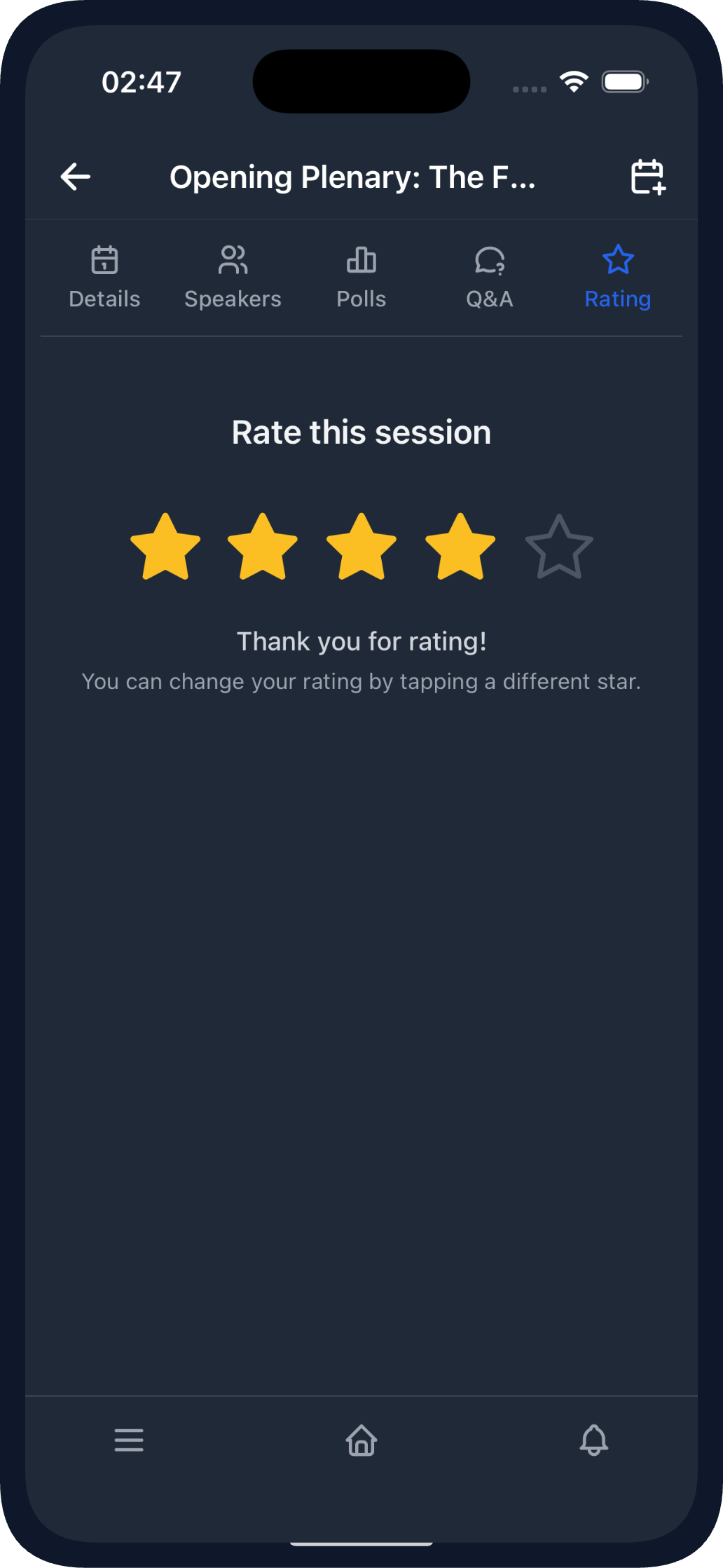
Session rating in the mobile app
Session Ratings
Session ratings collect attendee feedback per session while the impression is still fresh, directly in the app. Everything exports to CSV for the programme committee.
- Per-session ratings collected in the app
- CSV export for reporting
The programme team learns which formats worked while planning the next edition.
AttendeeNetworking
Meeting the right people is the main reason professionals attend events: 58% of attendees now say networking is why they come, up from 39% in 2021 (Freeman, 2025). Evendoro takes that seriously - intelligent suggestions, direct messaging and attendee control over their own visibility.
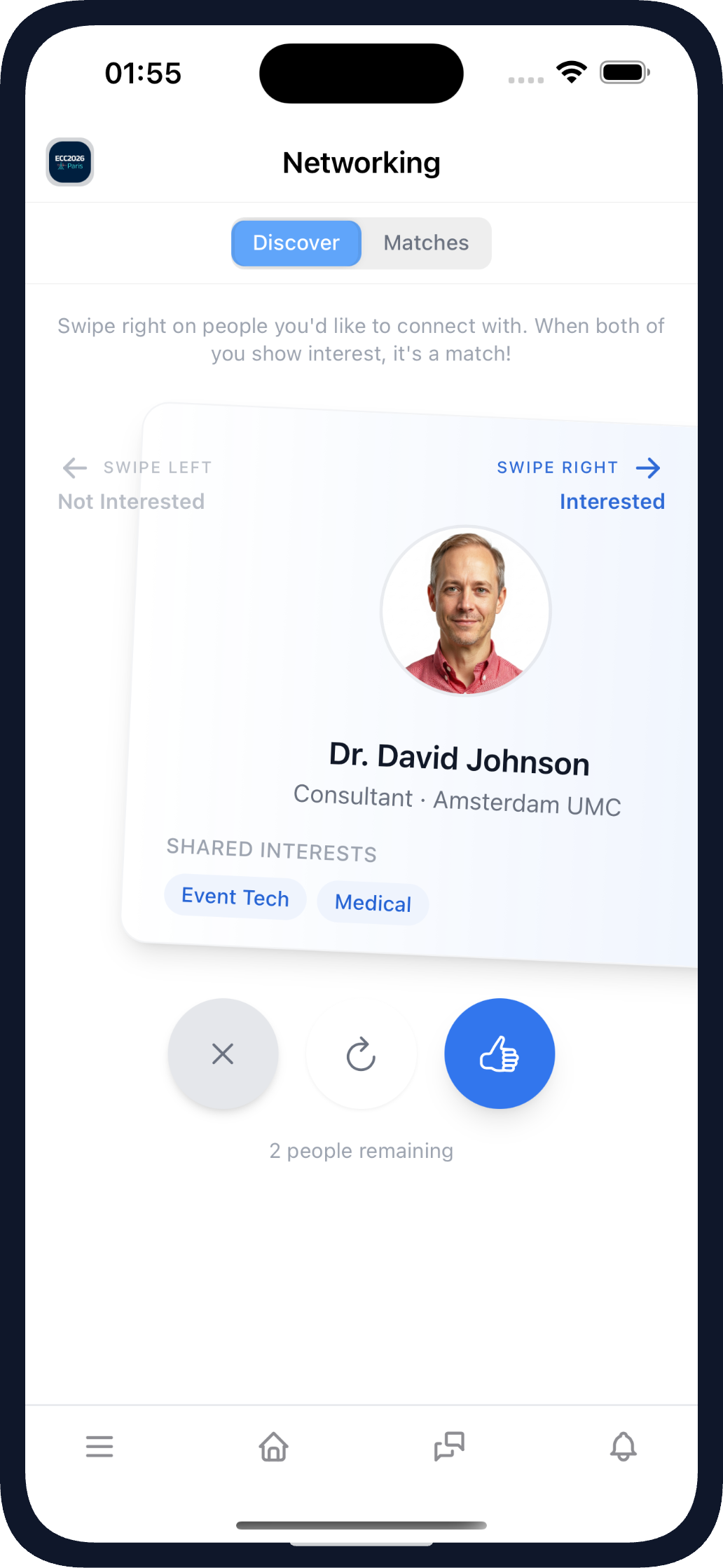
AI Matchmaking in the mobile app
AI Matchmaking
AI Matchmaking suggests the attendees worth meeting - ranked by shared professional interests and profile details, each with a reason why the connection makes sense. Matching runs on your event data and attendees control their own visibility.
- Suggestions ranked by shared interests and profile data
- A "why this match" reason on every suggestion
- Swipe-based discovery with mutual matches
- Privacy in mind: event data only, per-attendee visibility control
The coffee break is no longer the best networking tool at your event.
More on our conference networking app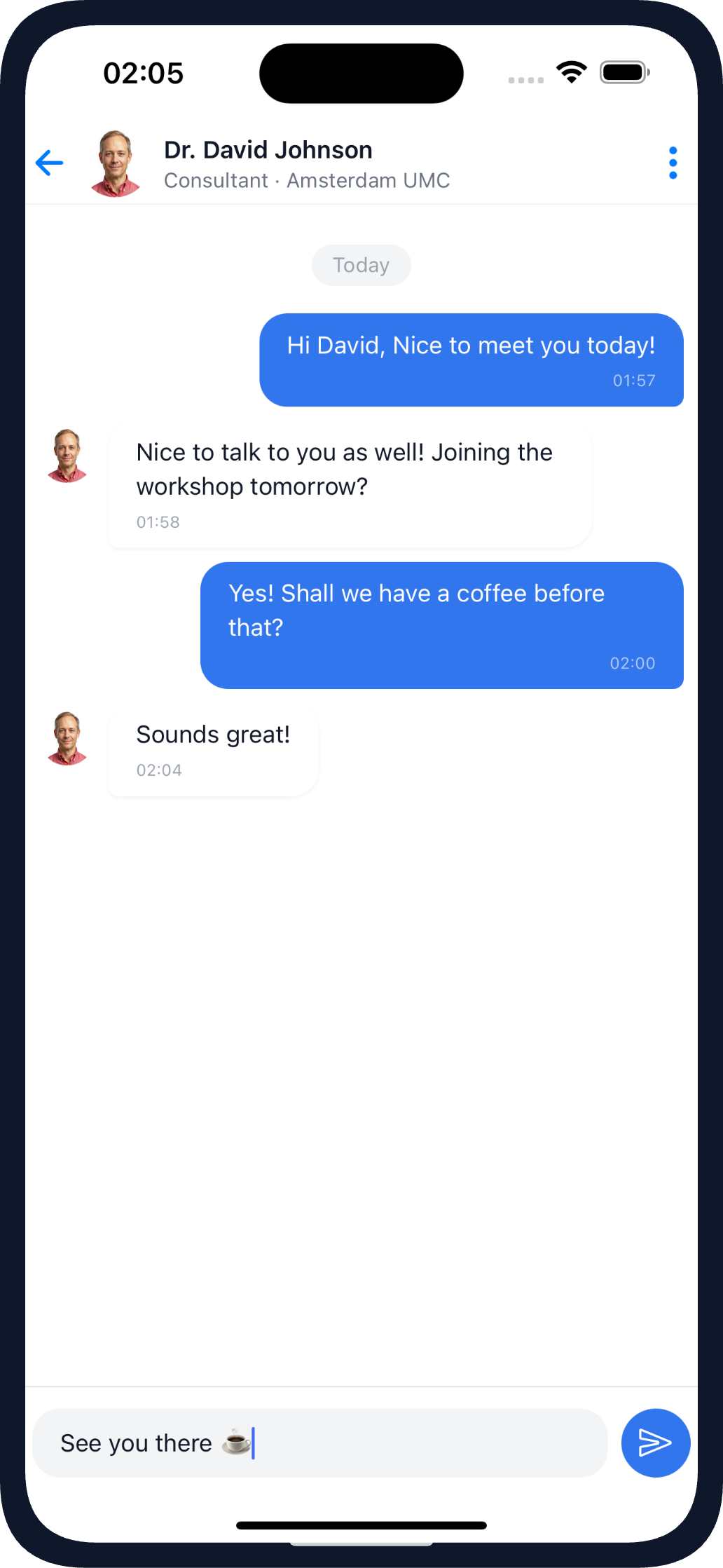
Messaging in the mobile app
Direct Messaging
Direct messaging lets attendees write to each other one-to-one inside the app. Conversations start from a profile or a mutual match, and attendees who prefer not to be contacted can opt out entirely.
- One-to-one messaging inside the event app
- Starts from profiles or mutual matches
- Per-attendee opt-out of networking
"Let's talk after the session" actually happens.
More on our attendee messagingRegistration &Event Management
This is the organiser's side of the platform: how attendees get in, how the programme is managed and how news reaches everyone. Content is defined once in the CMS and is available in both the mobile app and the web app.
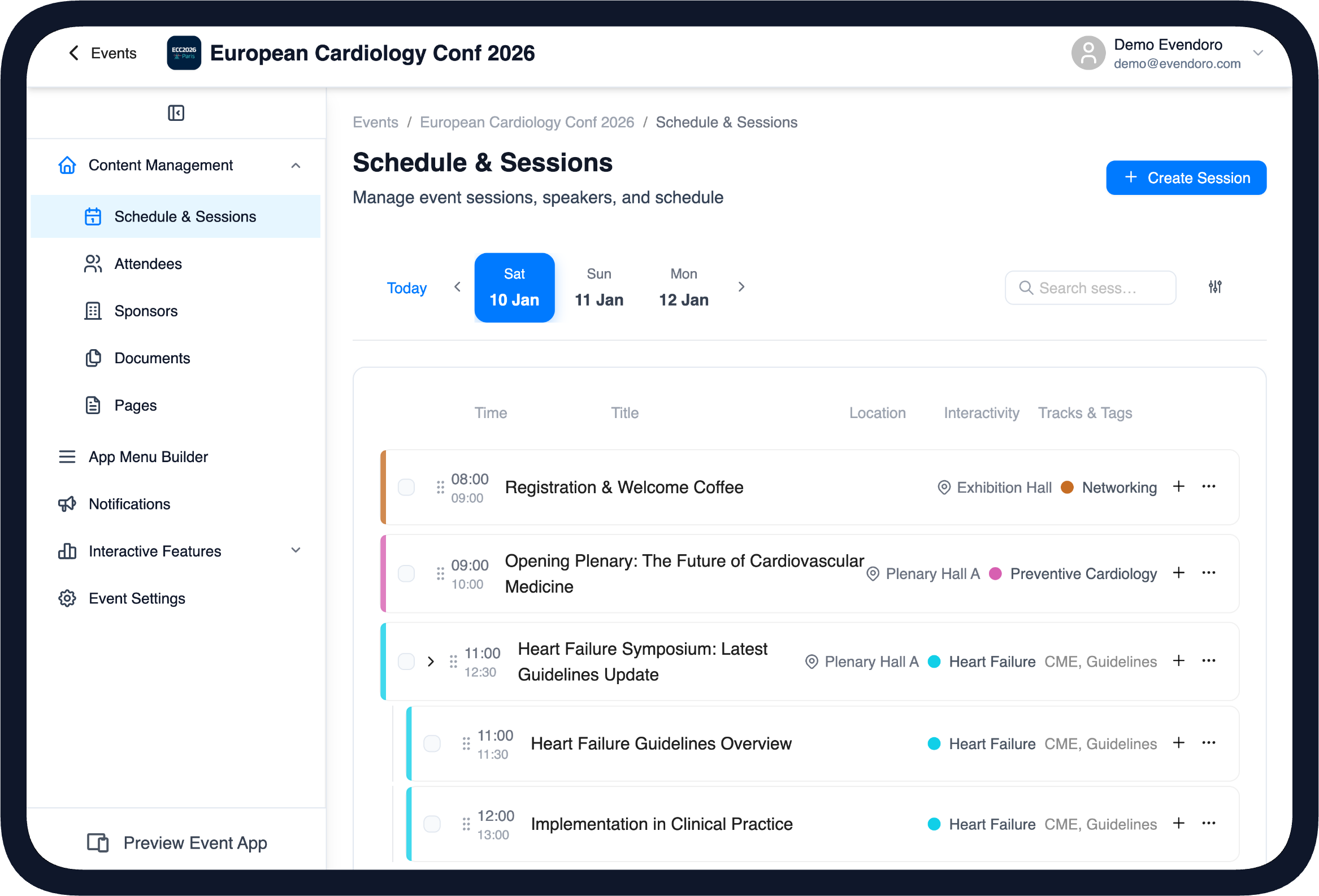
Agenda management in the CMS
Agenda & Personal Programme
The agenda handles conference programmes of any shape: nested sessions, parallel tracks, tags, locations and poster sessions. Attendees filter the schedule, bookmark sessions into their personal "My Program" and receive changes automatically - in the event's timezone or their own, as the organiser chooses.
- Nested sessions, parallel tracks, tags and locations
- Poster session support
- Personal programme with bookmarks
- Automatic updates from the CMS
- Event and device timezone support
Last-minute schedule changes reach every phone before anyone notices.
More on our event agenda app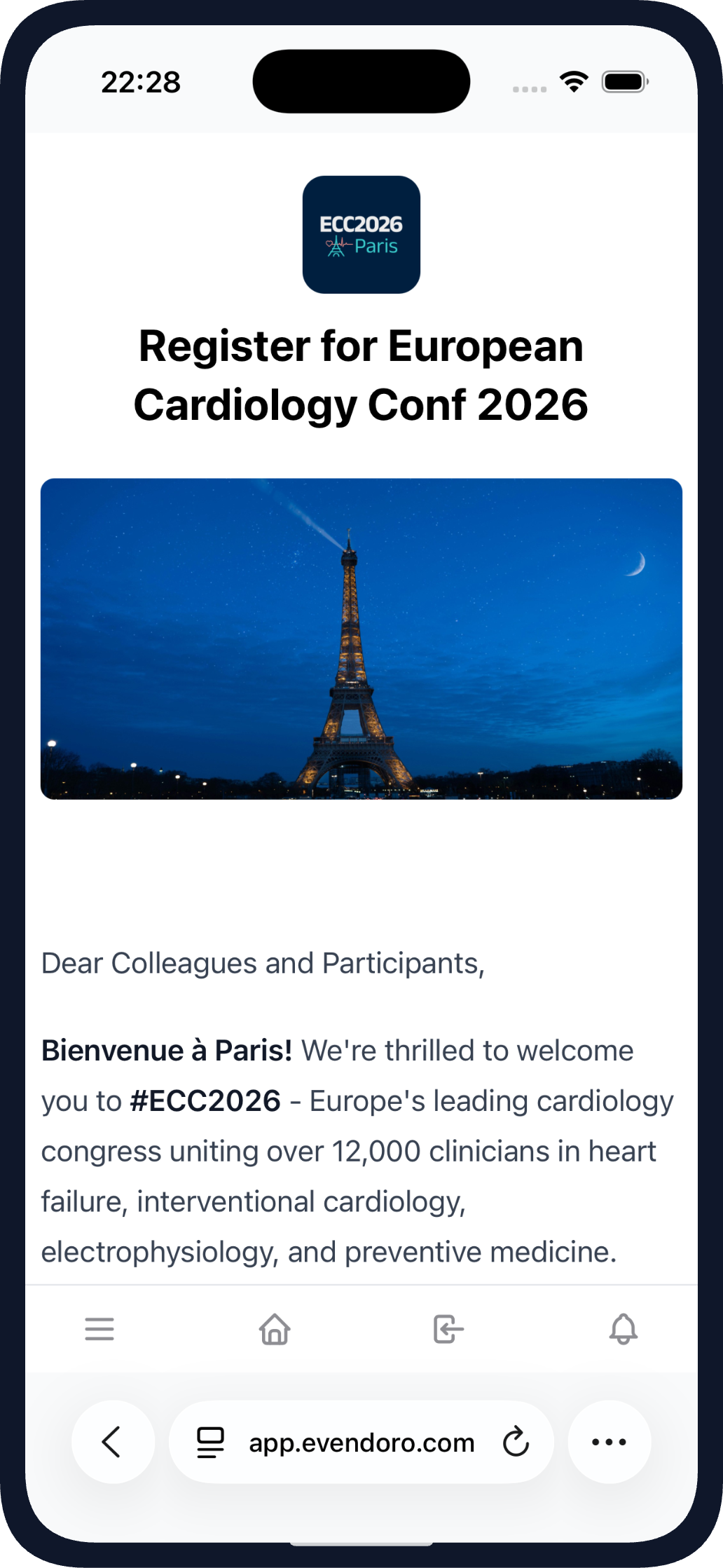
Event registration in the web app
Registration & QR Check-in
Self-registration gives the event a shareable signup form with custom fields; every registrant receives a confirmation email with their event code and a QR ticket. At the venue, staff scan tickets with the camera-based check-in in the CMS. Organisers who already have an attendee list can send unique event codes instead - or simply import the list.
- Public registration form with organiser-defined custom fields
- Confirmation email with event code and QR ticket
- Camera QR check-in at the door, synced in real time
- Code-based access and bulk attendee import as alternatives
The registration desk queue moves at the speed of a camera scan.
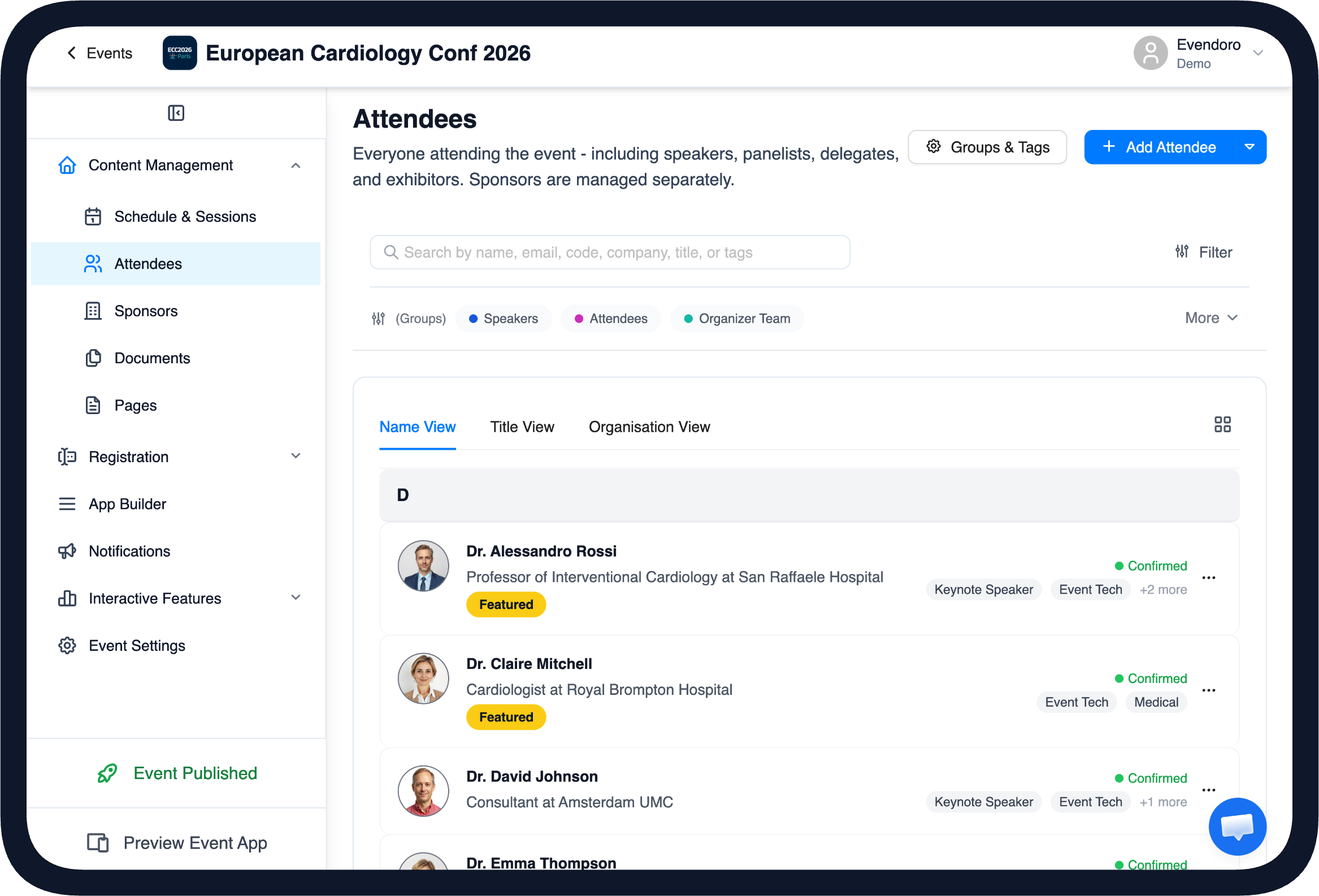
Attendee management in the CMS
Attendee & Speaker Management
Attendees, speakers and their profiles live in one place: photos, bios, companies and job titles, plus organiser-defined custom fields. Groups and tags allow list filtering and control who sees which menu item. Existing attendee lists import with preview and guided column mapping.
- Profiles with photos, bios and custom fields
- Groups and tags for filtering and access control
- Featured and hidden participants
- Bulk import with guided mapping and preview
One participant database for the whole team.
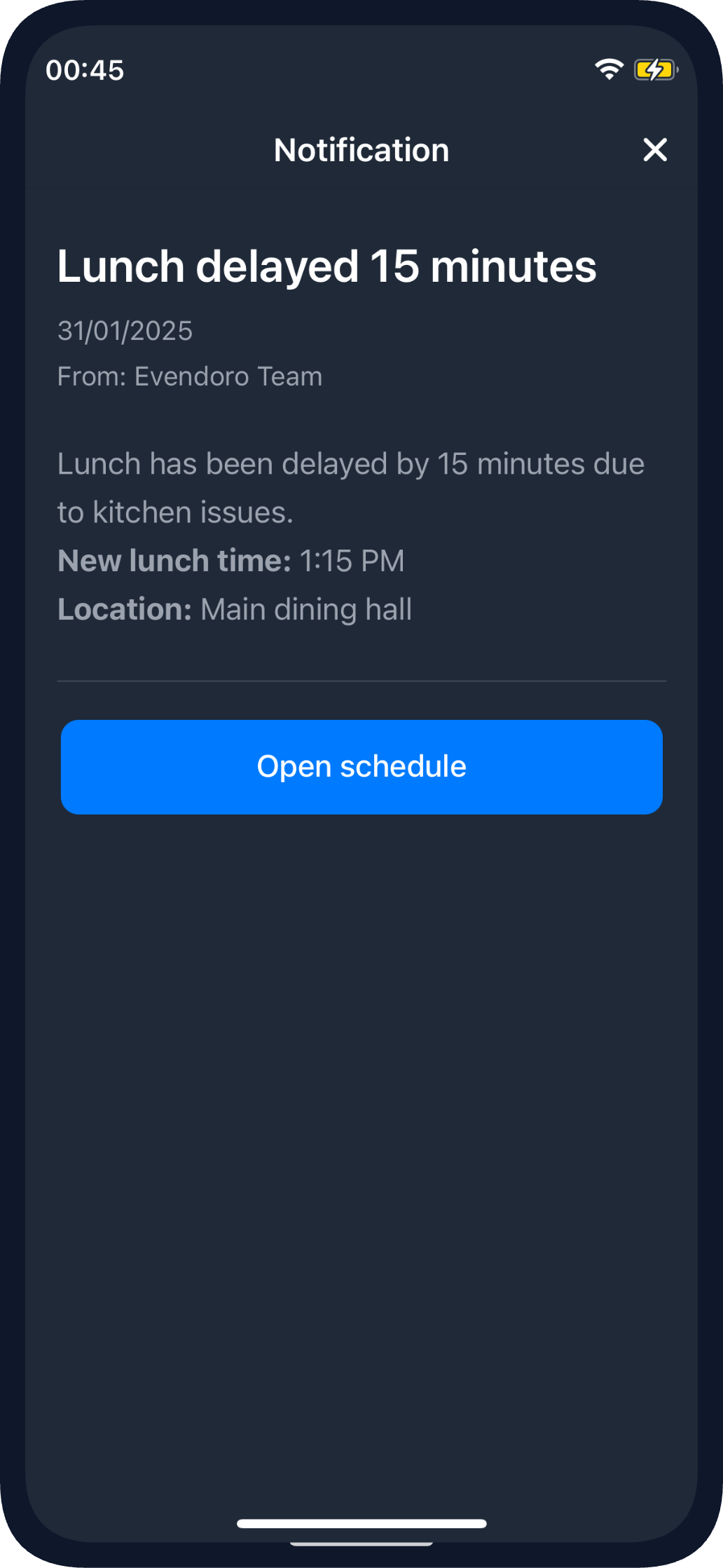
A push notification in the mobile app
Push Notifications & Email
Announcements go out as mobile push and targeted email from the same place, with delivery, open and click analytics on both. Messages can deep-link into the app menu, target specific groups or roles and be scheduled ahead. Every email takes into account the attendee's unsubscribe preferences.
- Push and email with delivery, open and click analytics
- Deep links into the app menu
- Audience targeting by group, role or status
- Scheduling, templates, preview and test sends
"The keynote moved to Hall B" reaches everyone fast.
Platform &Branding
Everything an organiser shapes before the event opens: sponsor visibility, rich content pages, the app menu itself - and, when needed, the organisation's own app in the stores.
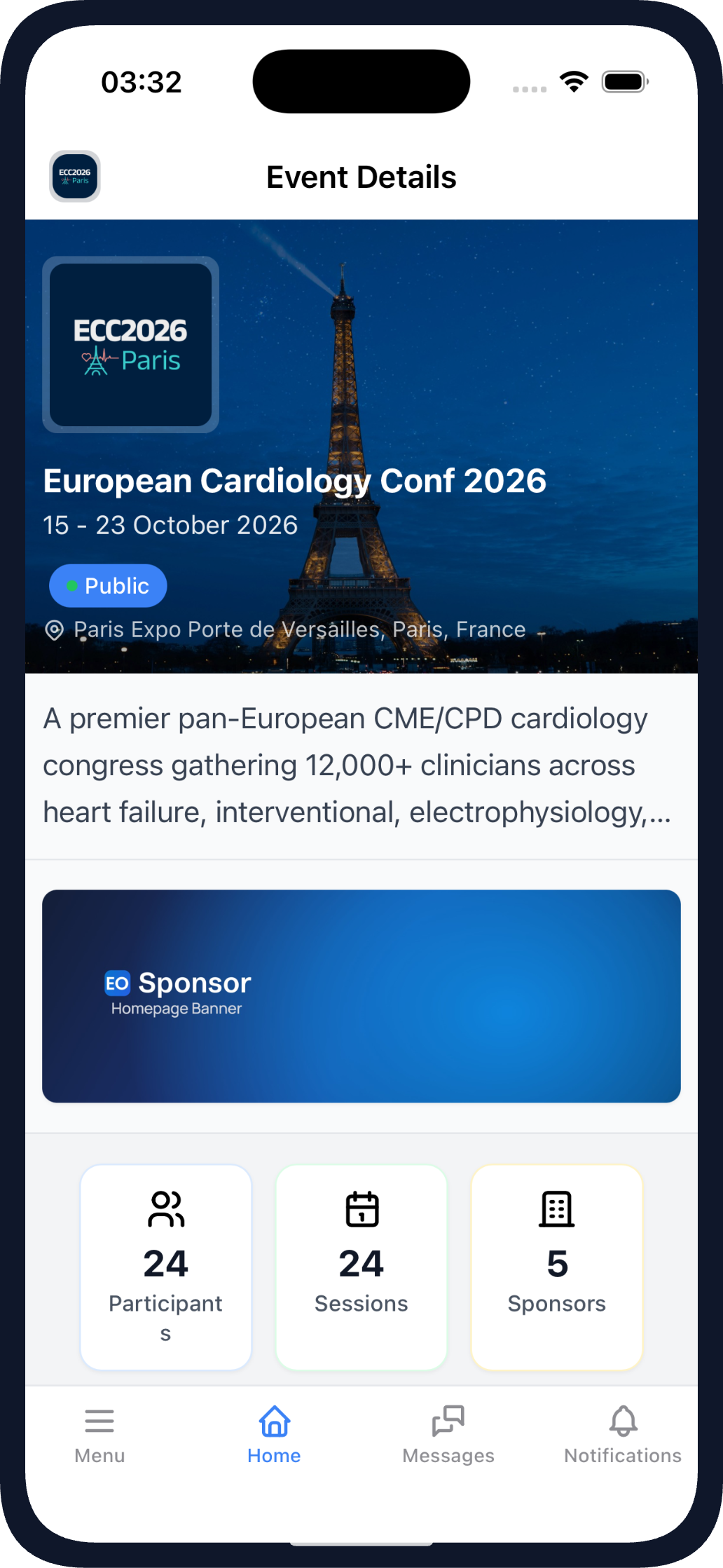
Sponsor banner on the event home in the mobile app
Sponsor Showcase
Sponsors get the visibility they were promised - in the mobile app and the web app alike. Tiers and tags control where they appear, and top sponsors can be featured with a badge, shown as a sponsor banner on the event home screen and highlighted in a push notification.
- Branded sponsor pages with custom tiers and tags
- Featured badge and sponsor banner on the event home
- Sponsor highlights in push notifications
The sponsorship package becomes visible placement in the app.
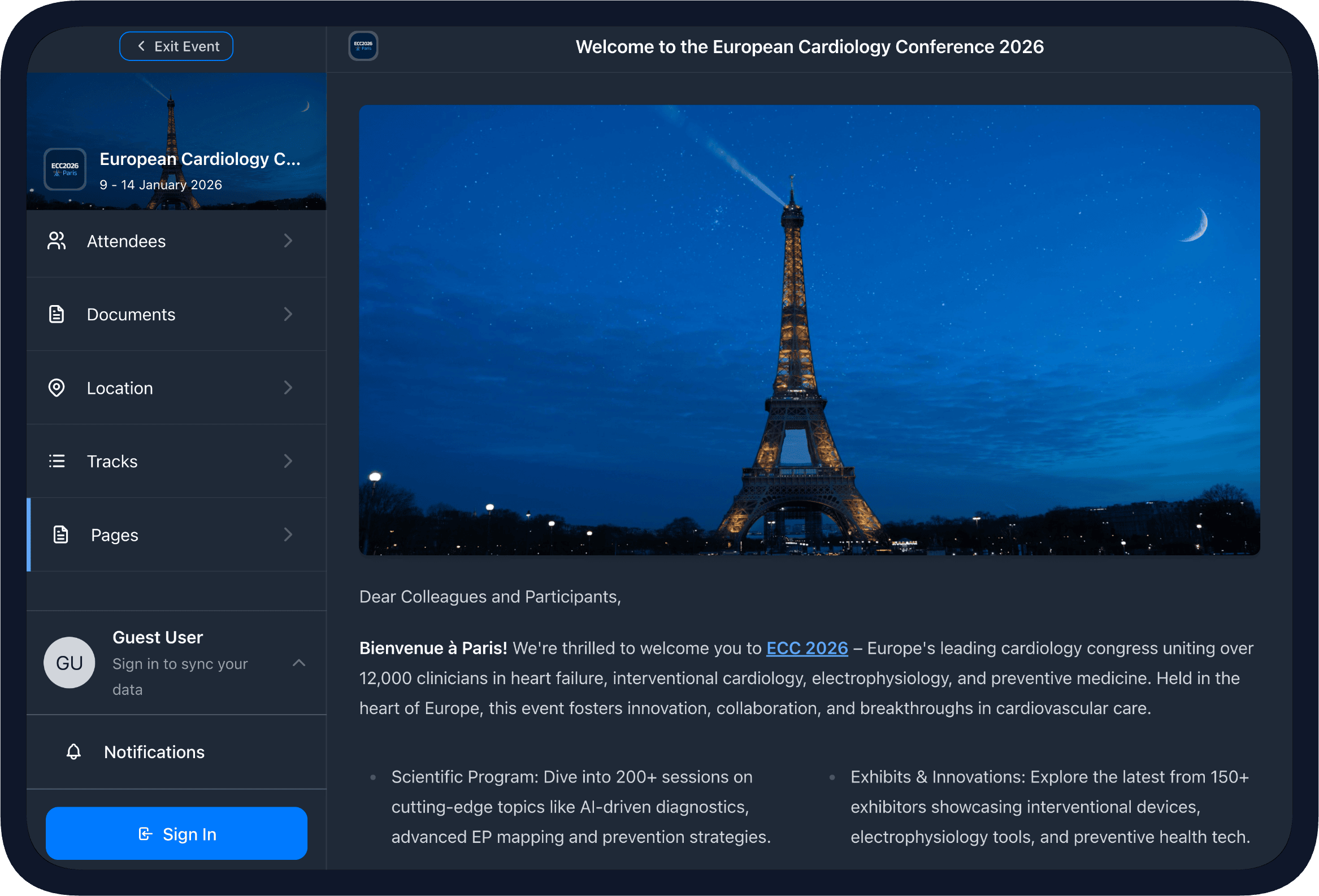
Custom event pages in the mobile app on a tablet
Custom Pages & Documents
Custom pages can be used for everything else an event needs to publish - venue information, travel, social programmes - built with a drag and drop editor supporting images, maps, embedded videos and multi-column layouts. Documents are their own feature: a folder-based library for abstracts, handouts and posters in any common format.
- Drag and drop page builder with rich blocks
- Embedded maps, videos and images
- Folder-based document library, multi-format
The event guide becomes app content the organiser can update at any time.
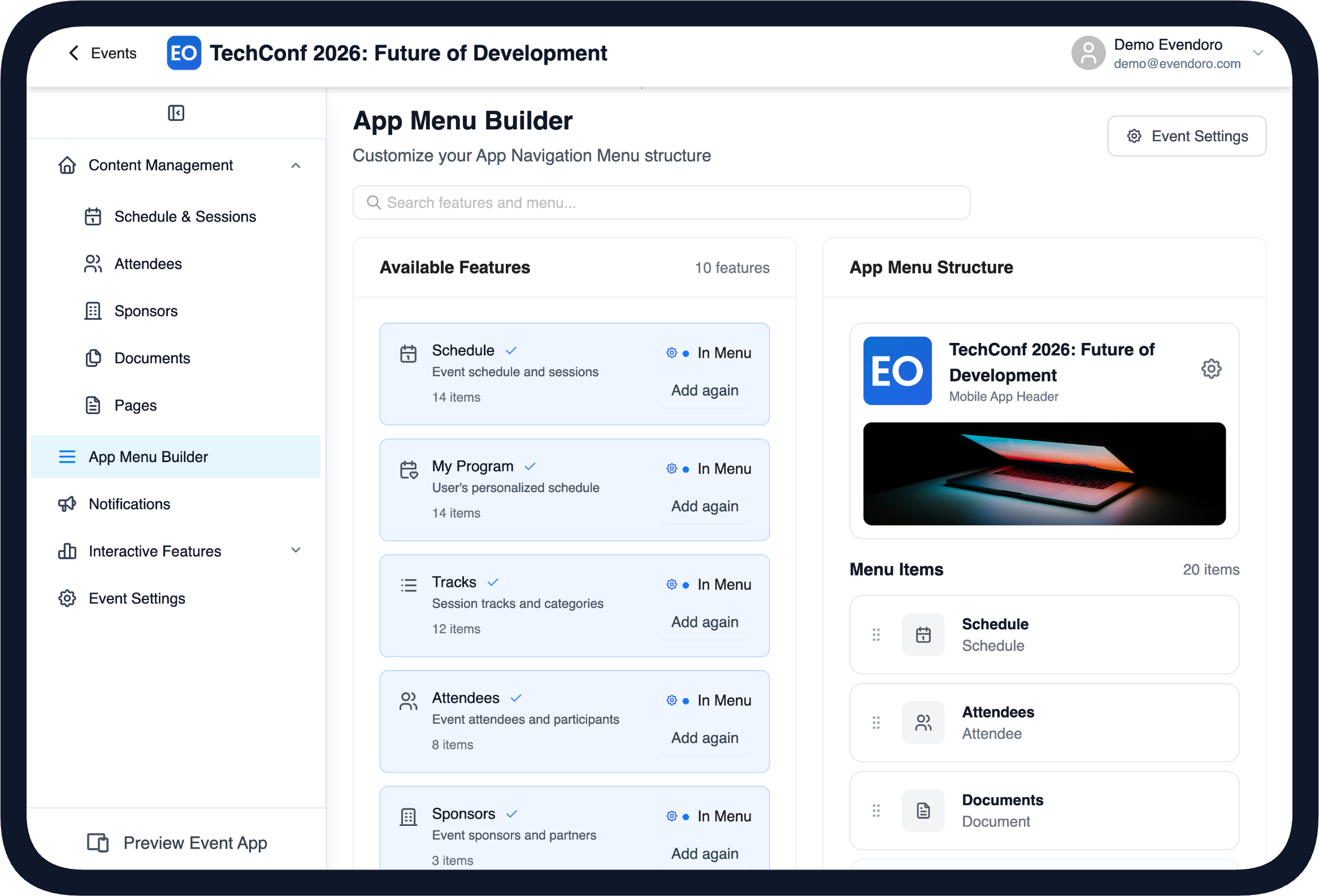
The App Builder with live preview in the CMS
App Builder & Live Preview
The app menu is built with drag and drop in the CMS App Builder: add features, order them, hide them and control who sees what - everyone, attendees, guests or specific groups. A real-time preview shows how it looks on the mobile app and the web app, or via a QR code on your own device - before attendees ever see it.
- Drag and drop menu builder
- Visibility per audience: public, attendees, guests or groups
- Real-time preview on mobile, web or your own device via QR
The organiser sees exactly what attendees will see, before publishing.
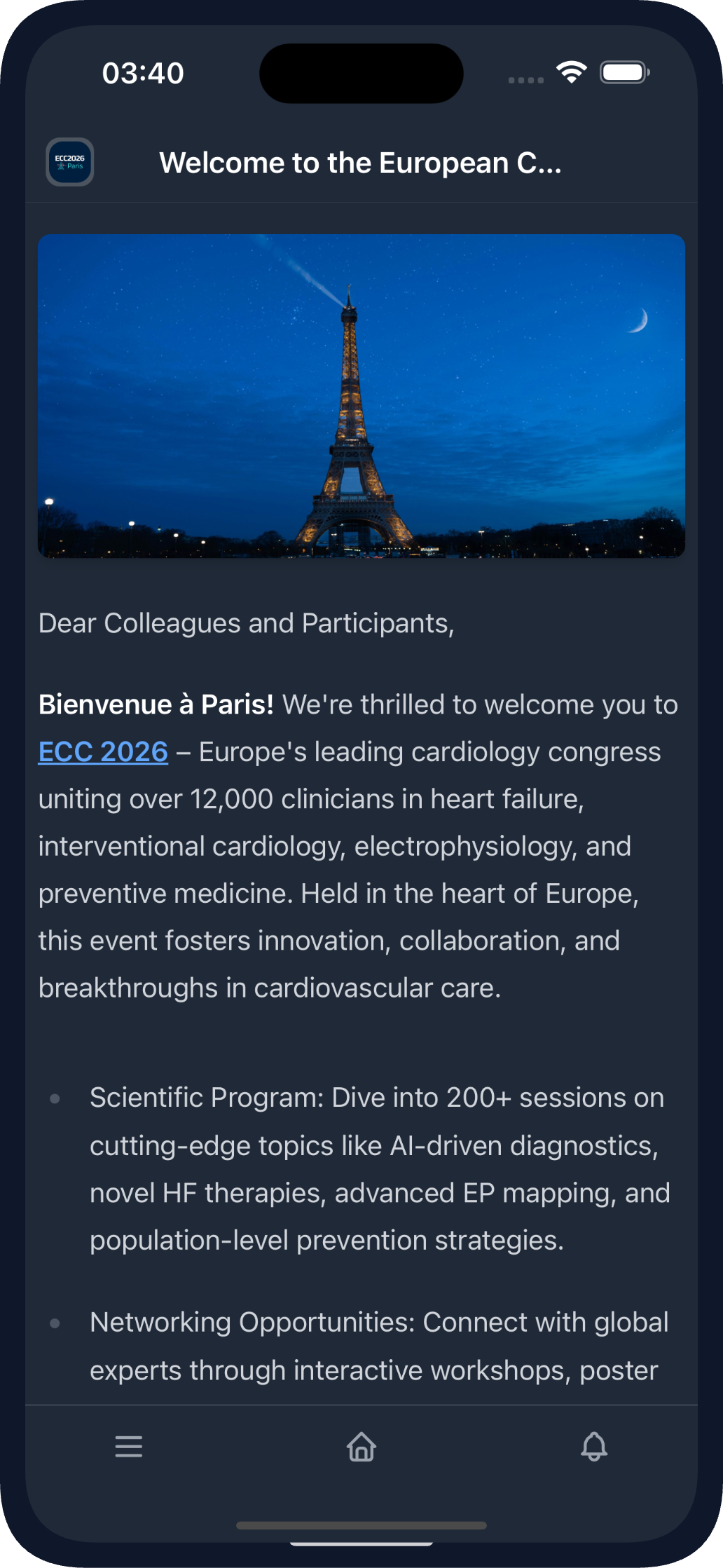
Branded event app on iOS and Android
White-Label Branded Apps
Every event runs in the Evendoro app with no extra setup - it is included with every event licence. Organisations that want their own presence get a white-label app: their icon, their name, their listing on the App Store and Google Play - for a single event, or as a multi-event app that holds all their events.
- The Evendoro container app, included with every event licence
- Optional white-label iOS and Android apps in the stores
- Single-event and multi-event branded apps
Attendees search for the event or the organisation name in the store - and find it.
What else to look forin an event app
Security & GDPR
EU-hosted and GDPR-compliant. Data is protected in transit and sensitive data is encrypted at rest. Attendees can delete their own data and choose which emails they receive. A DPA is available on request.
Offline Support
Once the event has been opened, it is saved on the device and works offline - the schedule, speaker details and pages stay available when the venue WiFi drops.
Works Alongside Your Tools
If you already have registration or ticketing, import your attendee list with preview and guided column mapping - and it works. Custom integrations on request.
Multi-Language App
English, Nederlands (Dutch), Deutsch (German), Português (Portuguese), Español (Spanish) and Français (French), with more languages on request. Attendees get the app in their own language automatically.
Event Timezone Support
Session times display in the event's timezone or in the attendee's timezone - you choose.
Mobile App & Web App, Same Content
Set up the event once and attendees can use it in both the mobile app and the web app.
A special shout-out to Evendoro for their excellent service and for providing such an intuitive and easy-to-use conference app that helped keep everything running smoothly throughout the event.
EBSA - European Biosafety Association
EBSA 2026 Conference·372 Attendees·4 Days
Bruges, Belgium
See on LinkedInFrequently Asked Questions
An event app is the mobile and web app attendees use at a professional event: the programme, speaker and attendee profiles, live Q&A and polls, networking and announcements in one place. Organisers use it to publish updates instantly; attendees use it before, during and after the event.
In practice, nothing - the two terms are used interchangeably. "Conference app" tends to describe apps for professional, session-based events, which is exactly what Evendoro is built for: congresses, association meetings and corporate conferences.
Yes. The App Builder in the CMS controls exactly which features appear in your app menu and who sees each one - everyone, attendees only, guests or specific groups - with a real-time preview of the result.
Once the event has been opened online, the schedule, speaker details and pages are saved on the attendee's device, so browsing keeps working. Live features resume when the connection returns.
Yes. You can keep your own registration or ticketing system and import the attendee list into the CMS - with preview and guided column mapping, it is easy to do. Custom integrations can be discussed on request.
Try every feature on your own event
Create your event in the CMS at no cost and add your own programme - you pay when you publish.
Last updated: 2026-08-24
Social Wall pinned post in the mobile app
Every event creates great moments - and most of them disappear into attendees' phone galleries. The Social Wall gives them one place inside the app: attendees post photos and updates, comment and react, while the organiser stays in control from the CMS - open the wall with a welcome post, pin it to the top and approve or hide posts before they are displayed.
The event gets its own live photo feed to capture the great moments.
More on our event app social wall